
The Most Common CNC Mistakes and How to Avoid Them
CNC mistakes are part of learning, but most are predictable. Better feeds and speeds, stronger hold-down, suitable tooling, regular checks and simple cleaning habits prevent many of the problems seen during training, servicing and production.
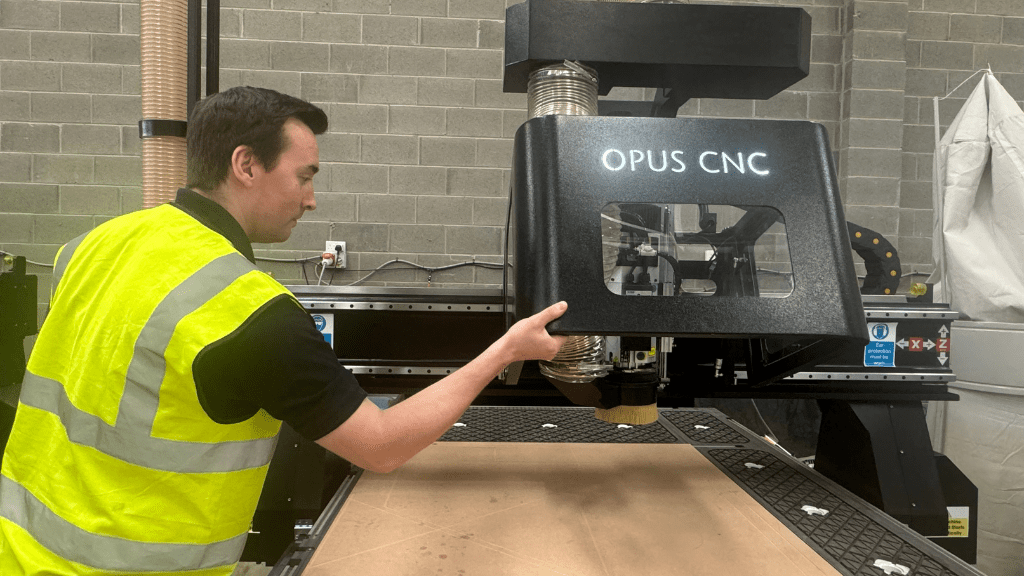
Every CNC operator makes mistakes, from first-time users to experienced production teams. The difference is how quickly the cause is recognised, corrected and prevented from becoming a repeated workshop habit.
Mistakes do not mean the machine is being used badly
Incorrect feed rates, loose material, blunt cutters and missed checks occur in workshops of every size. Most problems are not caused by one dramatic failure. They begin with a small setup decision that is overlooked.
A consistent pre-cut routine and a willingness to stop when something sounds or looks wrong can prevent damaged material, broken tooling and unnecessary downtime.
Great CNC machining is not about never making a mistake. It is about noticing problems early and learning from them.
Feeds and speeds
Incorrect cutting parameters create heat, chatter, poor edges and broken tools.
Hold-down
Material movement affects accuracy, finish and cutter safety.
Tooling
Blunt or unsuitable cutters increase noise, heat and spindle load.
Maintenance
Dust and missed checks quietly reduce reliability and repeatability.
Running too slowly
When the feed rate is too low, the cutter spends too long rubbing against the material. Heat builds up, edges burn and the tool wears more quickly.
Fine dust rather than clearly formed chips can indicate that the cutter is rubbing instead of cutting efficiently.
Running too quickly
An excessive feed rate can overload the cutter and create vibration, chatter, rough edges or sudden tool breakage.
Start with the tooling manufacturer’s recommendations, adjust in small steps and listen to the cut rather than chasing the fastest possible cycle.
Listen to what the machine is telling you
A smooth, consistent cutting sound normally indicates a stable process. Squealing can suggest rubbing and heat, while rattling or heavy vibration may indicate that the tool is being pushed too hard. Sound should not replace proper settings, but it is a useful early warning when a job begins to change.
Poor material hold-down
Even a strong vacuum system cannot compensate for an uneven spoilboard, blocked zones, heavy dust, warped sheets or large air leaks.
When material moves, cutters can snap, edges chatter and finished dimensions become unreliable.
- Keep the spoilboard skimmed and flat.
- Close vacuum zones that are not being used.
- Remove dust before positioning each sheet.
- Use tabs, tape or onion-skin passes for small parts.
Ignoring movement after a failed cut
If a component moves once, do not simply reset the job and try again. Check the vacuum system, spoilboard, seals, material condition and cutting strategy first.
Repeating the same setup can produce the same failure and may damage another cutter or sheet.
Using dull or unsuitable tooling
A blunt cutter may continue to remove material, but it often produces burning, chipping, noise and higher cutting forces long before it breaks.
Tool geometry also matters. A cutter that works well in MDF may be unsuitable for acrylic, aluminium or a laminated board.
Suitable single-flute cutters can support chip clearance and reduce heat.
Compression tooling can help protect both the upper and lower faces.
A suitable down-cut tool can reduce breakout on the visible surface.
Worn or contaminated collets can reduce grip and increase runout.
Cheap tooling often costs more through shorter tool life, damaged sheets and additional finishing work.
Skipping calibration checks
CNC accuracy should not be assumed indefinitely. Spoilboards wear, fasteners settle and offsets can be entered incorrectly.
Simple test cuts and repeatability checks can reveal a developing issue before it affects a full production run.
- Run a regular dimensional test cut.
- Check X and Y squareness.
- Verify tool-length and work offsets.
- Re-skim the spoilboard when required.
Changing settings before checking the basics
When accuracy changes, operators sometimes begin altering software values immediately. The cause may be simpler: material movement, a worn cutter, a dirty bed or an uneven reference surface.
Inspect the complete process before adjusting a previously reliable machine configuration.
Neglecting daily cleaning
Dust affects sensors, suction, cooling, moving components and the quality of the finished cut. MDF dust can reach areas that are easy to ignore until a problem develops.
- Vacuum the bed after machining.
- Keep rails and motion areas clean.
- Check extraction filters and collection points.
- Prevent dust entering electrical enclosures.
Ignoring small warning signs
A change in sound, finish, dust extraction or hold-down should be investigated before the next important job.
Small warning signs are easier and less expensive to resolve than a broken cutter, damaged component or unplanned service visit.
A simple pre-cut routine
A short checklist makes the process more reliable without adding unnecessary delay.
Confirm the file
Check the drawing, units, toolpaths and machining order.
Confirm the tool
Check cutter type, diameter, condition and collet grip.
Secure the material
Check vacuum zones, spoilboard condition and part support.
Verify the setup
Confirm zero positions, offsets, extraction and clearance.
Good habits make CNC machining easier
Most common mistakes are avoidable when operators use suitable tooling, secure the material properly, maintain the reference surfaces and stop to investigate changes in sound or finish.
Machines such as the Olympus ATC CNC router and Pegasus ATC CNC router provide dependable production capability, but reliable results still depend on good setup and operator awareness.
Awareness, consistency and a calm setup routine prevent more mistakes than rushing ever will.
Need support with your CNC process?
Speak to the Opus CNC team about machine selection, operator training, servicing, workshop setup and ongoing technical support.